The operator console
The console is one list. Every installer account on the platform gets a row, and the row tells you the state of that account, how big it is, and what you can do about it.
The header
Section titled “The header”Above the list you get the size of the estate, “2 accounts”, and next to it, in amber, “1 awaiting activation” whenever anything is pending. The second half only appears when there is something to do.
Treat it as the console’s to-do list. An account that is awaiting activation is an installer who has signed up, is probably filling in their pricing, and whose public calculator is currently returning a 404 to anybody they send it to. Every operator got an email when they signed up, headed “New installer awaiting activation”, so nobody should be discovering this from the header alone.
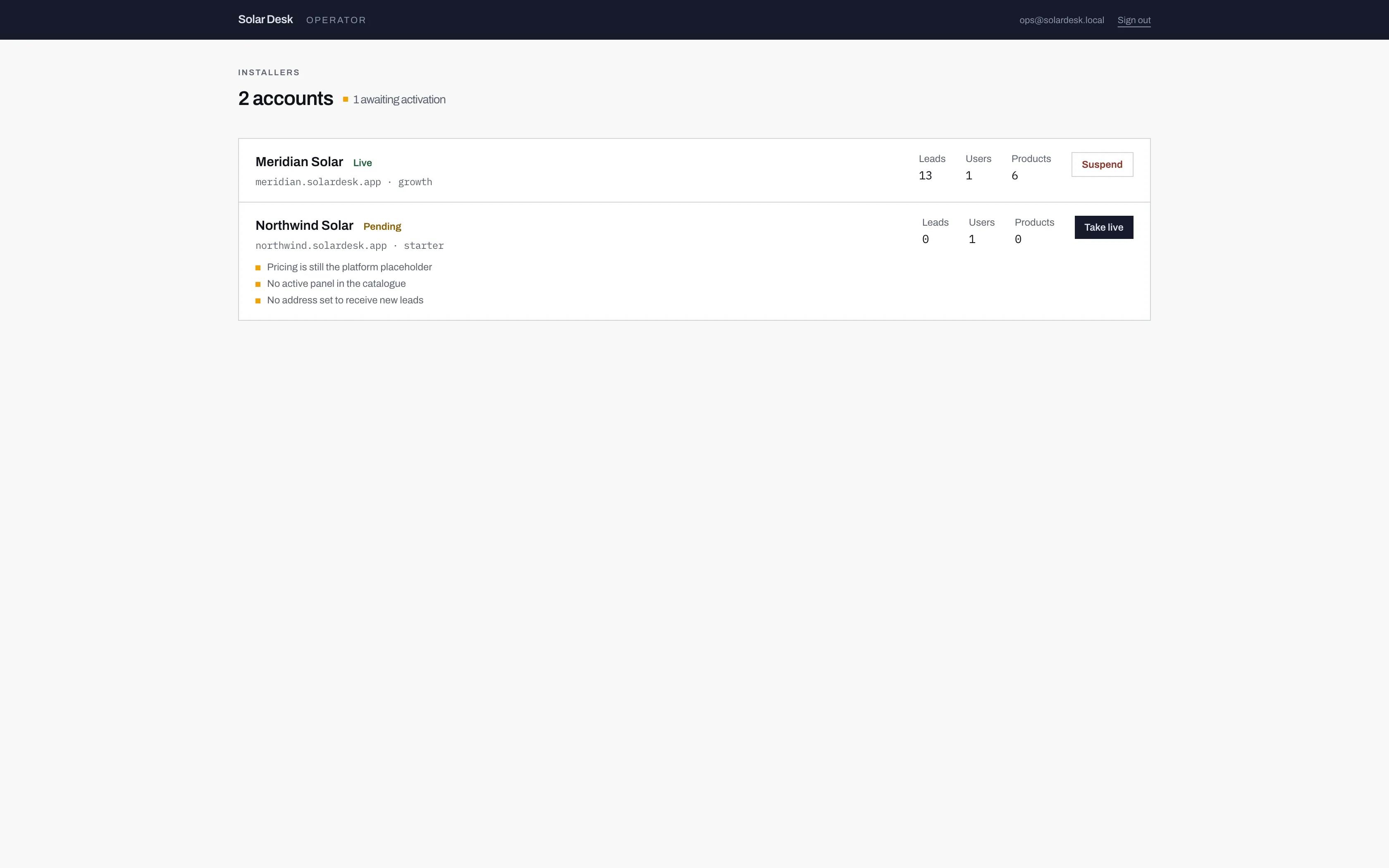
- Only shown when something is pending. This is the count of installers who cannot yet be found by a customer.
- The status sits beside the company name: Pending, Live, Suspended or Closed.
- The web address the installer chose, and the tier their account is on.
- A pending row carries its activation checklist. A live row has nothing here, because there is nothing outstanding.
The four statuses
Section titled “The four statuses”| Status | What it means |
|---|---|
| Pending | Signed up, never activated. The dashboard works fully, the public calculator answers 404. |
| Live | Activated. The calculator is public and customers can be quoted. |
| Suspended | Switched off after being live. The calculator is offline and the dashboard is read-only, but the installer can still read their pipeline. |
| Closed | Finished. The dashboard is locked entirely. |
Pending and Live are the two you will see most. The other two are covered in Suspending and closing.
The counts
Section titled “The counts”Three numbers sit on the right of every row.
- Leads. How many enquiries the account has taken. This is a count and nothing more: there is no way to open one from here, and that is deliberate.
- Users. How many staff accounts the installer has. It is normally 1, because signing up creates one person and there is no self-serve way to invite a colleague. A second user has to be added by Solar Desk.
- Products. How many panels, batteries and inverters are in their catalogue. A new account ships with none at all, so a zero here on a pending row is expected and is one of the activation blockers. A zero on a live row is worth a phone call.
The address and the tier
Section titled “The address and the tier”Under the company name you get the address their customers use,
meridian.solardesk.app, and the tier their account is on. The address is the
quickest way to check you are looking at the right account when two installers
have similar names, and it is what you paste into a browser to preview their
calculator.
A live row
Section titled “A live row”
Once an account is live, the console has very little left to tell you about it. That is the intended end state: the installer runs their own business in their own dashboard, and Solar Desk stays out of it.