Step 3: Your energy use
This is the step that decides your savings figure. Solar panels save you money by covering electricity you would otherwise have bought, so how much you buy is the whole question.
Rather than demanding a number most people do not have to hand, the calculator offers four ways to answer and lets you pick.
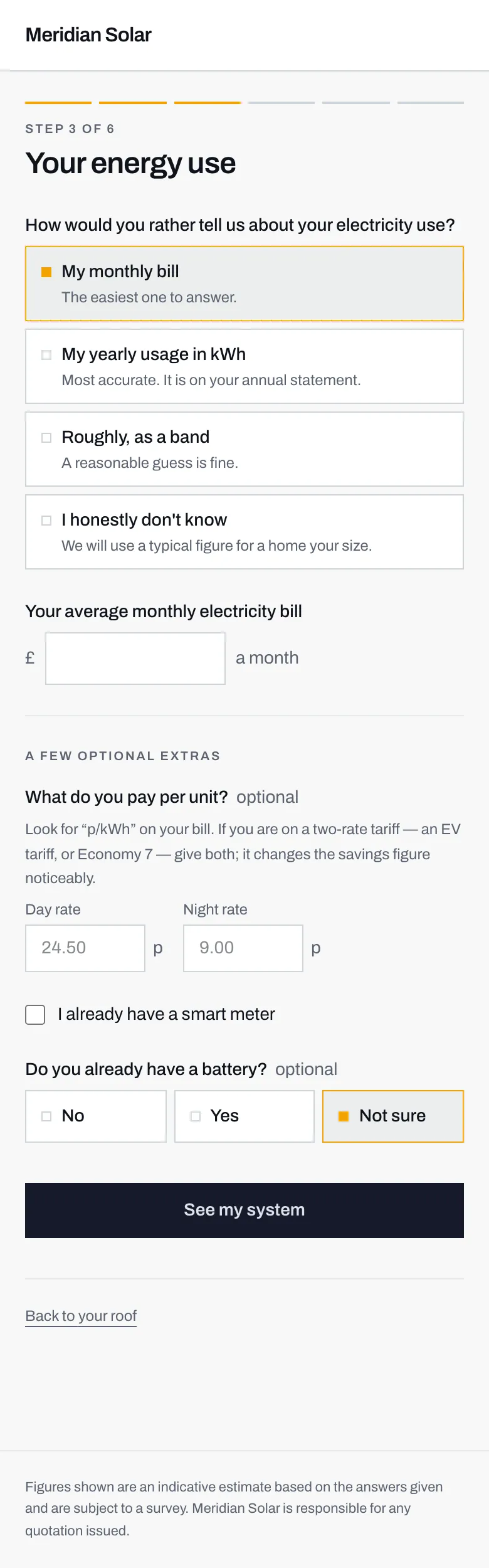
- Four ways in. Pick whichever you can answer without hunting for paperwork.
- I honestly don't know is a proper answer, not a dead end.
- The box underneath changes to match whichever way you chose.
- Your unit rates, if you know them. The faint numbers are examples, not your prices.
- A smart meter is worth mentioning: it is what makes some cheaper tariffs possible.
The four ways in
Section titled “The four ways in”My monthly bill
Section titled “My monthly bill”The easiest one to answer, and the default. Give what you pay for electricity in a typical month, in pounds. If you pay by direct debit, the fixed monthly amount is fine.
Do not include gas. If your bill is a combined gas and electricity bill, you want only the electricity part of it. Solar panels make electricity, so a gas figure would inflate the savings.
My yearly usage in kWh
Section titled “My yearly usage in kWh”The most accurate option, and worth the two minutes it takes to find.
A kWh, or kilowatt hour, is the unit electricity is sold in. On a UK bill, your yearly total appears as the confirmed annual usage figure, usually near the bottom of your annual statement. A typical home is somewhere in the low thousands of kWh a year.
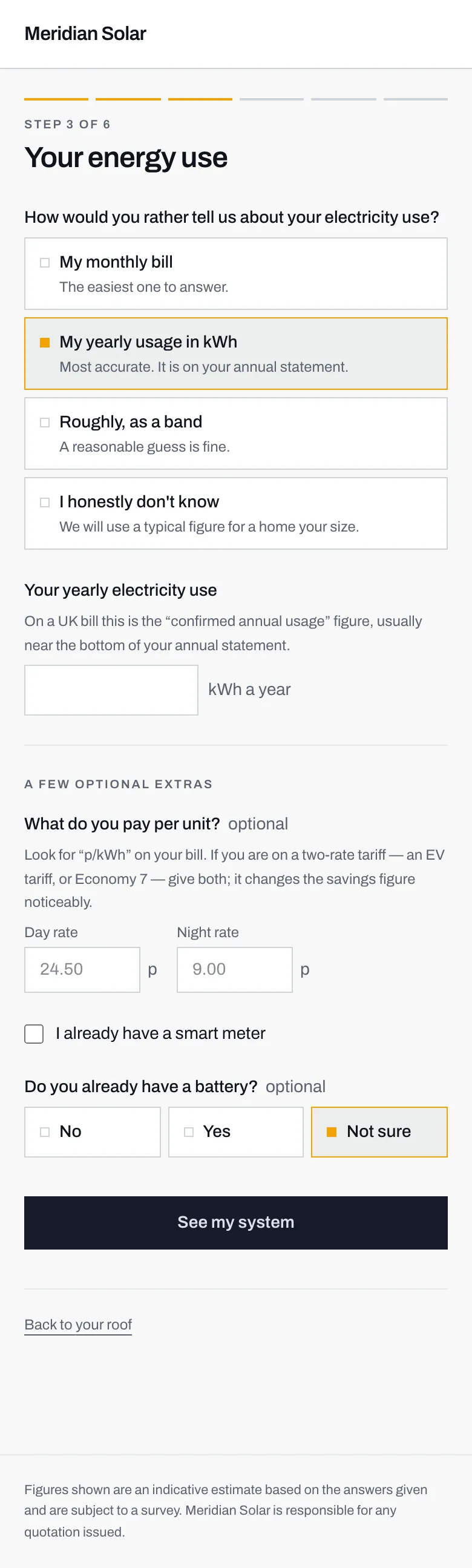
- Choosing this swaps the box below from pounds to kilowatt hours.
- Where to look: the confirmed annual usage figure, usually near the bottom of an annual statement.
- One number, for the whole year.
Roughly, as a band
Section titled “Roughly, as a band”A reasonable guess, sorted by household:
| Band | Usually means |
|---|---|
| Low | 1 to 2 people |
| Medium | 3 to 4 people |
| High | 5 or more, or an electric car |
An electric car pushes you up a band on its own. Charging one at home can use as much electricity as the rest of the house put together.
I honestly don’t know
Section titled “I honestly don’t know”Pick this if none of the above is true. The calculator uses a typical figure for a home your size and carries on.
What it also does is tell the installer that the figure is a stand-in rather than yours. They see your enquiry flagged as one to confirm before quoting. That is far more useful to both of you than a number you made up under pressure, which would look exactly like a real one.
The optional extras
Section titled “The optional extras”None of these are required, and the estimate works without them.
What do you pay per unit? Look for a rate written as p/kWh (pence per kilowatt hour) on your bill. There are two boxes, a day rate and a night rate, because plenty of homes are on a two-rate tariff: Economy 7, an EV tariff, or similar, where electricity is cheaper overnight. If that is you, fill in both. It changes the savings figure noticeably, because solar replaces expensive daytime electricity rather than cheap night-time electricity.
I already have a smart meter. A tick box. Worth ticking if you have one.
Do you already have a battery? No, Yes, or Not sure. If you already have one, the sums about how much of your own solar you can use change, and the installer needs to know before quoting you another.
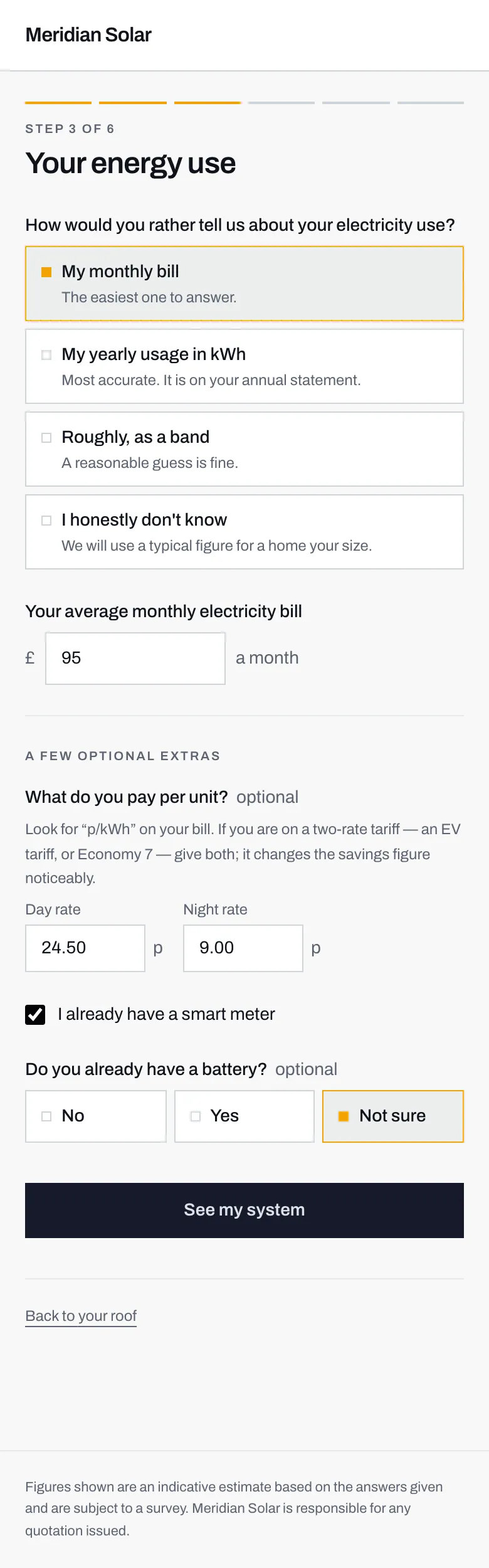
- A monthly bill figure, in pounds.
- Both rates filled in, because this household is on a two-rate tariff.
- Ticked, so the installer knows a smart meter is already fitted.
Then press See my system.
Next: step 4, your system.