For operators
The operator console is Solar Desk’s own screen, at solardesk.app/operator. It
lists every installer account on the platform and gives you the two controls
that only Solar Desk has: taking a new installer live, and suspending one.
It is a small screen on purpose. An operator is not an account manager with a view of everybody’s business; an operator holds one gate and one switch.
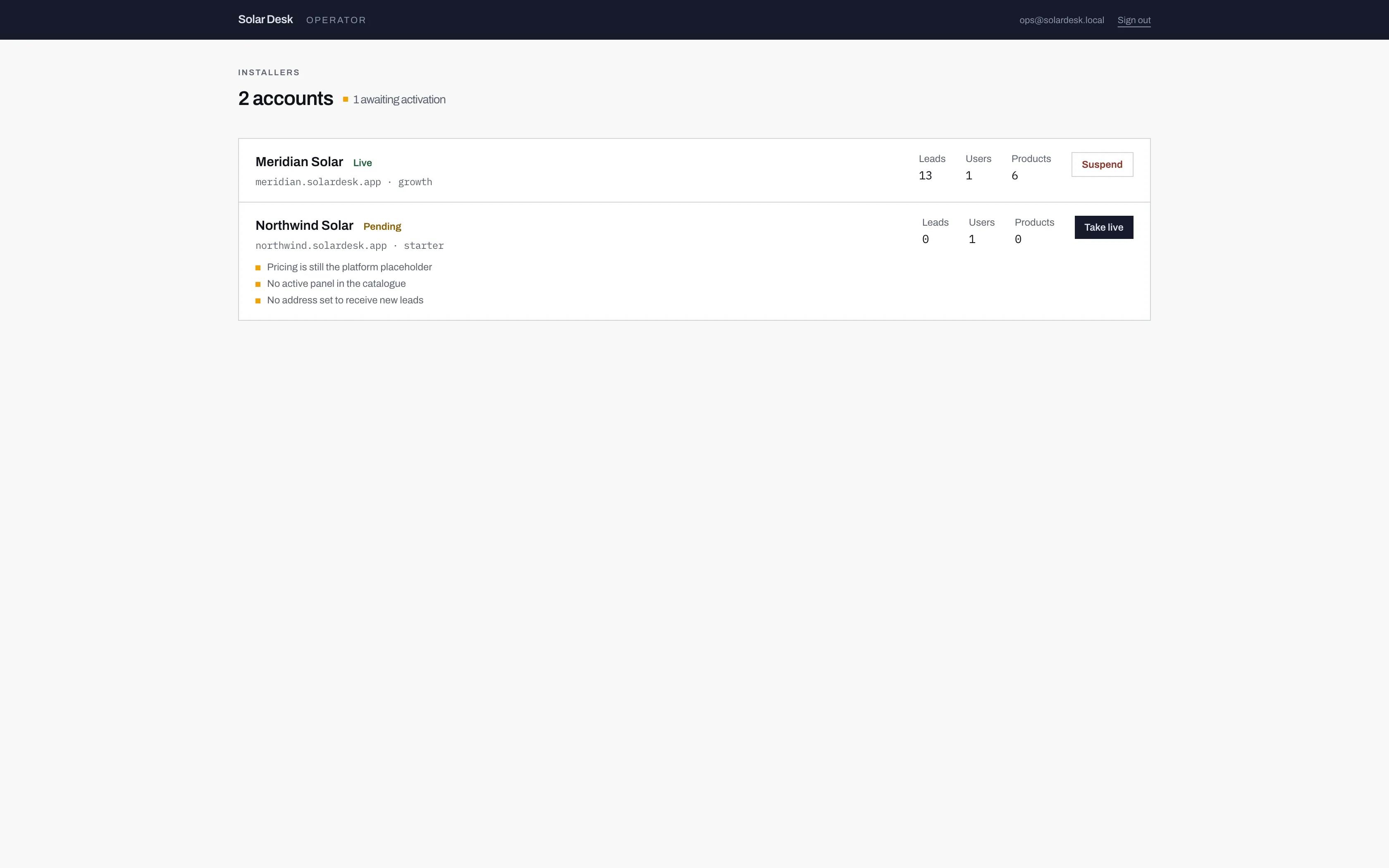
- The count of accounts waiting to be switched on. If this is not zero, somebody signed up and is sitting behind a 404.
- Counts only: how many leads, users and products the account has. The console will not open a single one of those leads.
- A pending account carries its activation checklist under the name, so you can see what is outstanding without opening anything.
What an operator can do
Section titled “What an operator can do”- Take a pending installer live, which is what makes their calculator answer to the public instead of returning a 404. See Taking an installer live.
- Suspend a live account, which takes the calculator offline and makes the dashboard read-only. See Suspending and closing.
- Preview any installer’s calculator, including one that is not live yet, so you can check their branding and their numbers with them before you switch them on.
The one thing it deliberately never shows
Section titled “The one thing it deliberately never shows”No lead, ever. The console gives you a count of an installer’s leads and nothing else: no names, no addresses, no figures, no way in.
That is a design decision rather than a feature nobody got round to. An installer’s enquiries are the installer’s own commercial data, gathered under a consent notice that names them and not us. If the console could open a lead, every conversation about the platform would have a second, awkward conversation underneath it about who else can read their pipeline. It cannot, so there is nothing to argue about.
The three pages here
Section titled “The three pages here”- The operator console reads the estate list: statuses, counts, addresses and tiers.
- Taking an installer live covers the activation checklist, what each blocker means, and the override.
- Suspending and closing covers what each of those does to an installer who is already running.