Step 5: Your estimate
Here is what you came for. Four numbers, a sentence saying what they were worked out from, and, if the installer offers finance, a monthly payment plan underneath.
Some installers ask for your details first, in which case this is step 6 and the form on the next page is step 5. The page is the same one either way.
The four numbers
Section titled “The four numbers”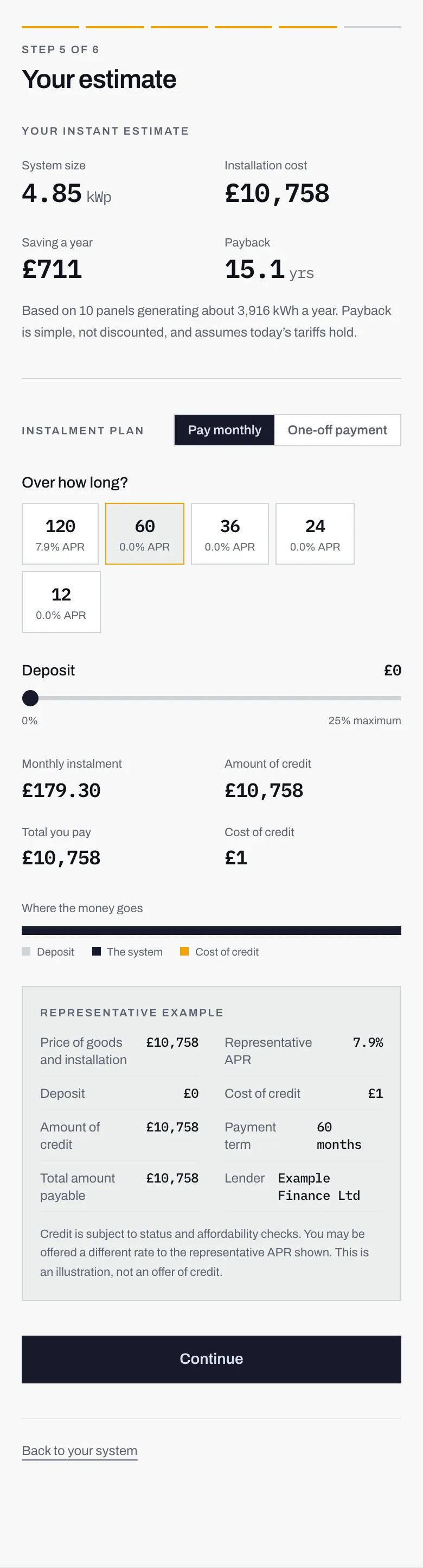
- System size in kWp, kilowatt peak: how big the system is.
- What it would cost to install, all in.
- What it would take off your electricity bill in a year.
- How many years of that saving it takes to cover the cost.
Underneath them is a line telling you how many panels the figures assume, roughly how much electricity they would generate in a year, and one honest caveat: payback is simple, not discounted, and it assumes today’s tariffs hold.
That sentence is doing real work. It means the payback figure is the cost divided by the yearly saving, with no allowance for electricity prices changing or for what your money might have done elsewhere. It is the straightforward version, and it is the version everyone uses, but it is worth knowing that is what you are looking at.
The four numbers explains each one properly, and how your estimate is worked out covers where they come from.
The instalment plan
Section titled “The instalment plan”If your installer offers finance, a second section appears below the figures.
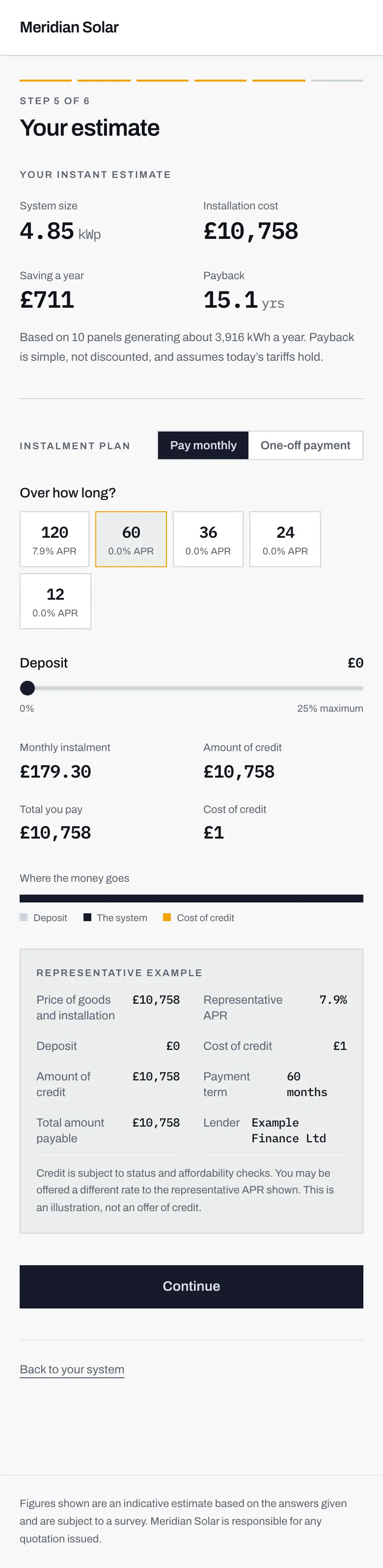
- Pay monthly or pay in one go. Whichever you leave selected is what the installer sees, so it is worth setting it to what you actually intend.
- How long to spread it over. Each button shows its own APR, and the shorter terms here are interest-free.
- A deposit slider. Putting more down lowers the monthly payment and the amount you borrow.
- The representative example. It cannot be switched off while finance is shown, and it is the block to read before anything else.
Pay monthly or One-off payment. Your choice is saved with your enquiry, so the installer sees the same thing you did. A cash buyer and a finance buyer are genuinely different conversations, so it is worth leaving it set to what you actually mean.
Choosing one-off simply shows the total to pay, and a note that there is nothing to finance and so nothing to pay in interest.
Choosing monthly gives you a term to pick, a deposit to set, and four figures: your monthly instalment, the amount of credit, the total you pay, and the cost of credit. There is a small stacked bar showing how the total splits between your deposit, the system itself, and the cost of credit.
All of that is unpacked on the instalment plan, including why the monthly figure is not quite the APR divided by twelve.
If your installer is not authorised to offer credit, this whole section is absent and the estimate simply stops at the four numbers.
Then press Continue.