Step 6: Register your interest
The first step where anybody learns who you are. Up to now you have been anonymous.
It is usually the last of the six. Some installers put it at step 5 instead, so that you give your details before the estimate rather than after it. The page is the same one, and the button says “See my estimate” rather than “Send my details”, because the numbers are what comes next.
At the top, the installer tells you how quickly they will be in touch, and says plainly that there is no obligation and nothing is booked yet.
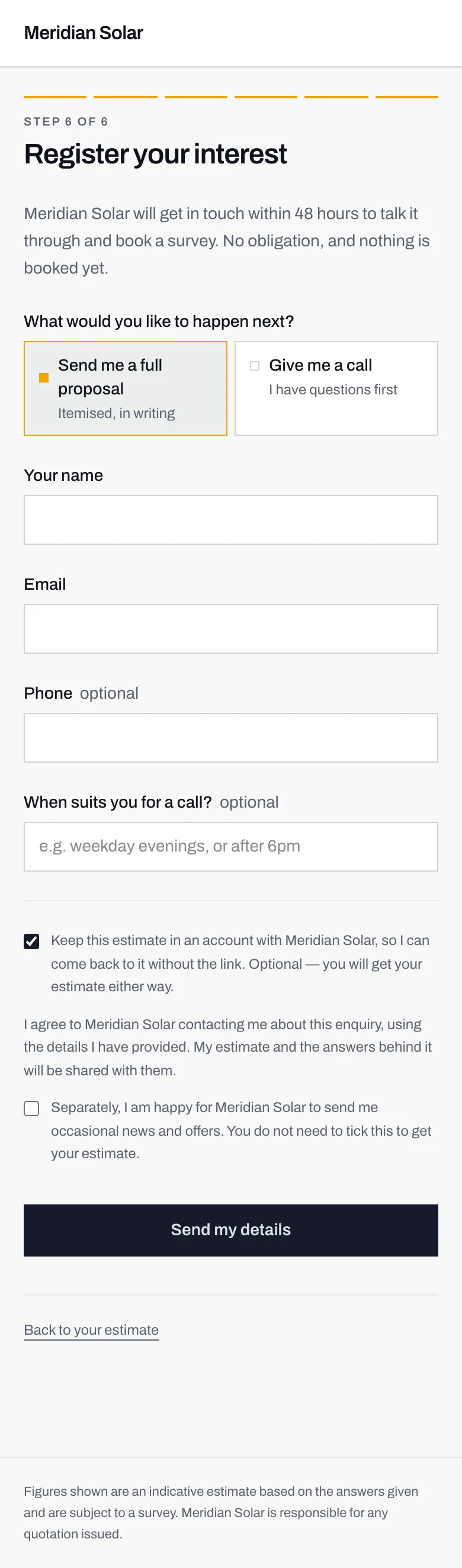
- A written proposal, itemised. Pick this if you want numbers on paper before you speak to anyone.
- A phone call. Pick this if you have questions first. The installer treats the two differently, because they need different first actions.
- Ticked by default: keep the estimate in an account. Untick it if you would rather not have one.
- Marketing, a separate box, unticked. Nothing about your estimate depends on it.
What would you like to happen next?
Section titled “What would you like to happen next?”Two options, and they are not decoration.
- Send me a full proposal, itemised, in writing. You want the numbers on paper, and you will read them before speaking to anyone.
- Give me a call, because you have questions first. You want a person.
The installer sees which you chose, marked clearly on your enquiry, and it changes what they do first. Someone who asked for a document and gets a cold call has been ignored; someone who asked for a call and gets a PDF has been fobbed off. Picking the honest one gets you the response you wanted.
Your details
Section titled “Your details”Your name and Email are required. Everything else is optional.
Phone is worth giving if you asked for a call, for obvious reasons. When suits you for a call? is a free-text box, and something like “weekday evenings” or “after 6pm” saves the game of telephone tag entirely.
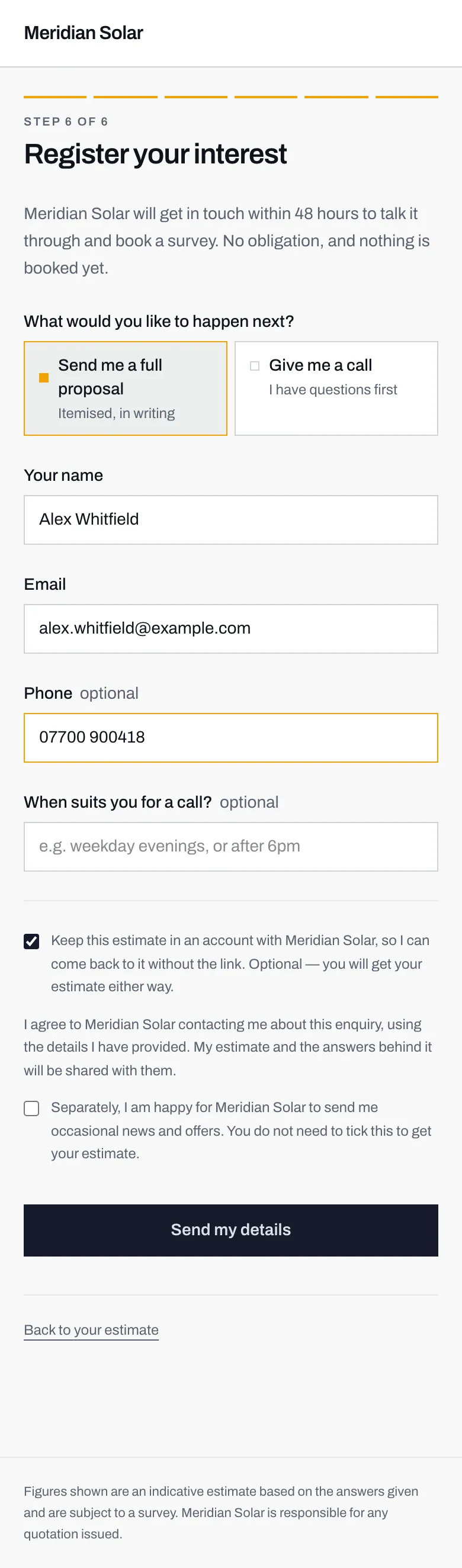
- Required. If you leave it blank the form says: Tell us your name.
- Required, and checked for shape. A typo gets: That email address does not look right.
- Optional, but the fastest way to be reached.
- Optional. A sentence here is worth three missed calls.
What you are agreeing to
Section titled “What you are agreeing to”Above the button there is a short paragraph. It is not buried, and it is not long. It says:
I agree to Meridian Solar contacting me about this enquiry, using the details I have provided. My estimate and the answers behind it will be shared with them.
Your installer’s name will appear where Meridian Solar does. In plain terms: that company may contact you about this enquiry, and they get to see everything you told the calculator, which is your address, your roof, your electricity use and the system you configured. They need all of it to quote you properly.
The exact wording you saw is stored with your enquiry, so there is a record of what you agreed to rather than a guess about it.
The marketing box is separate, and unticked
Section titled “The marketing box is separate, and unticked”Underneath, in its own tick box:
Separately, I am happy for Meridian Solar to send me occasional news and offers. You do not need to tick this to get your estimate.
It starts empty and it stays empty unless you tick it. Leaving it alone costs you nothing: your estimate arrives, the installer still contacts you about your enquiry, and you simply do not go on their mailing list.
The account box
Section titled “The account box”The last tick box, and this one starts ticked:
Keep this estimate in an account with Meridian Solar, so I can come back to it without the link. Optional, you will get your estimate either way.
An account means you can come back to your estimate later without hunting for the link, and it is where any written quotation, message or document from the installer will appear. It has no password.
If your email address already has an account with this installer, from an earlier estimate, ticking the box does not sign you in. Anyone can type any address into a form, so this page has no way of knowing the address is yours. Instead a sign-in link goes to that address, and the confirmation page says so. Use the link, and the new estimate is in your account next to the old one. If the confirmation page does not mention a link, none could be sent, but your enquiry has still reached the installer.
If you would rather not, untick it. You still get your estimate, and your enquiry still reaches the installer. Do you need an account? has the full picture.
Then press Send my details.
Next: what happens next.