Your jobs
Signing in lands you on Your jobs: a list of every estimate you have had from this installer, newest work first.
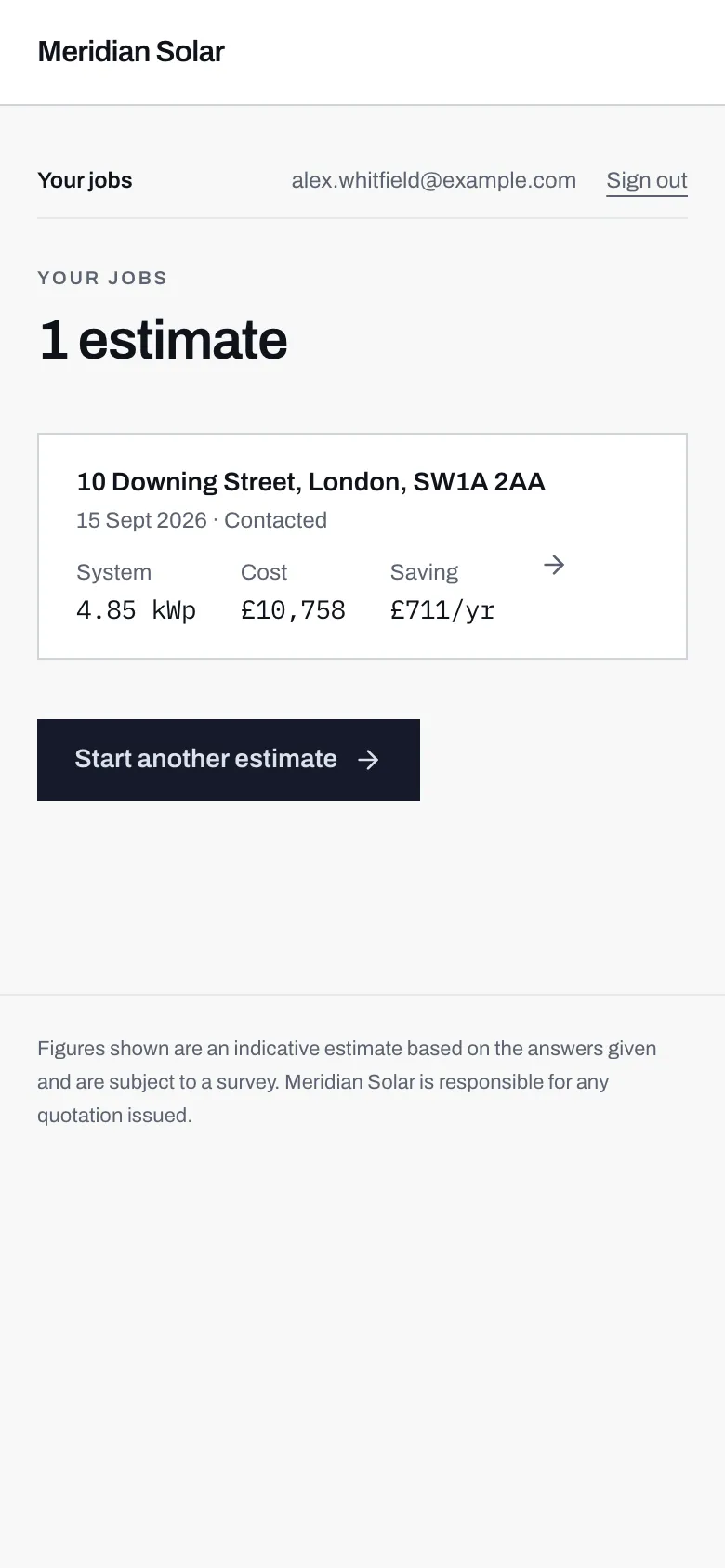
- A count, or Nothing here yet if you have not finished one.
- The address, the date you did it, and where the installer has got to with it.
- The headline figures, so you can tell two estimates apart without opening them.
- Start another estimate whenever you like, for a different roof or a different set of answers.
Finished and unfinished
Section titled “Finished and unfinished”Two kinds of row appear here.
A finished estimate shows the date you completed it and a status word, which is the installer’s own label for where your enquiry has got to. It starts at something like New and moves on as they work through it.
An unfinished estimate is one you started and walked away from. It shows in amber, reading “Unfinished, pick up where you left off”, and tapping it drops you back into the calculator at the point you stopped, with your answers still in place. Nothing was lost, and nobody was sent anything.
Opening one
Section titled “Opening one”Tap a row and you get the whole thing on one page.

- The four figures you were shown at the time, kept as they were.
- What this estimate assumed: every answer that went into those figures.
- Any quotation the installer has sent you, with its line items and total.
- Your message thread with the installer, about this job.
At the top: the address, the date you did the estimate, the status, and the four figures. Then everything else in order down the page.
What this estimate assumed
Section titled “What this estimate assumed”The most useful section, and the one people miss.
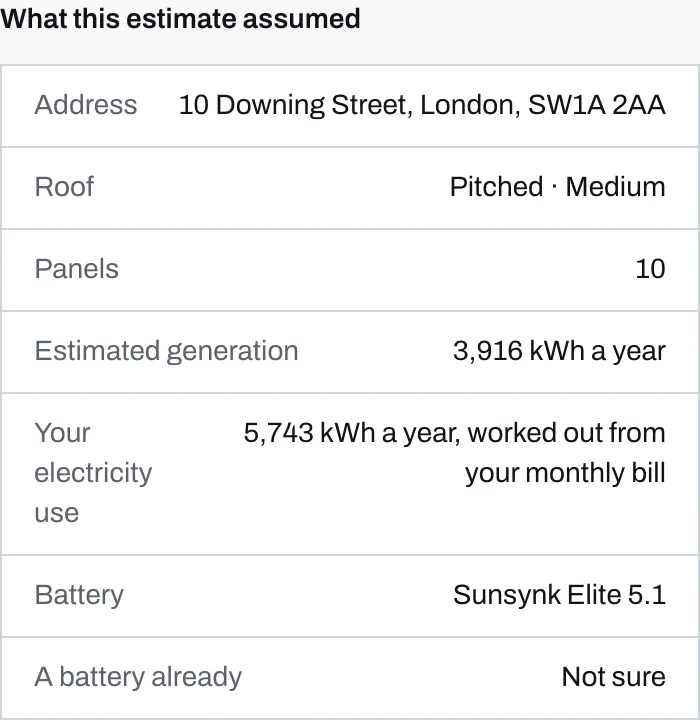
- What the system was expected to generate in a year, which is where the saving comes from.
- Your electricity use: the yearly figure the estimate was built on, and how it was worked out from your answer.
- The battery the estimate included, by name, or None.
The table lists the address, the roof you described, the number of panels, roughly how much the system was expected to generate in a year, your electricity use, the battery in the estimate if there was one, and whether you said you already have a battery.
Your electricity use is the yearly figure in kWh the estimate was built on, followed by where it came from: as you gave it, worked out from your monthly bill or the band you picked, or a typical figure for a home your size if you did not know. If you answered with a bill, this is the row that shows what it turned into.
This is what makes an old estimate readable months later. Without it you have four numbers and no idea which answers produced them, and no way to tell whether a difference between two estimates is real or just a different guess about your usage.
At the bottom of the page there is a closing note saying these are the figures you were shown at the time, and that the installer will confirm them against a survey before anything is agreed. That is worth taking literally. See what the estimate is not.
What else is on the page
Section titled “What else is on the page”Below the assumptions, in order:
- Your quotes, if the installer has sent any.
- Messages with the installer.
- Documents, both ways.
Empty sections are quiet rather than absent, so the page looks the same shape whether you are a day in or a month in.