Notes and messages
Two panels sit in the right-hand column of every lead, Notes at the top and Messages further down, and they look much alike. A box, some text, a button.
Notes are internal. The customer never sees them. Messages go straight to the customer’s account, and email them to say so.
That is the whole of it, and it is the only thing on this page you have to remember. The two are kept apart rather than merged into one tidy timeline precisely because a single timeline is the interface that gets an internal note typed into the customer’s box, and the cost of that mistake lands on you rather than on us.
The panel headings say which is which. Notes carries the line “Internal. The customer never sees these.” Messages is titled with the customer’s name and says what they can see.
The record of what your team did. Calls, site visits, the thing the surveyor noticed, why you dropped the price.
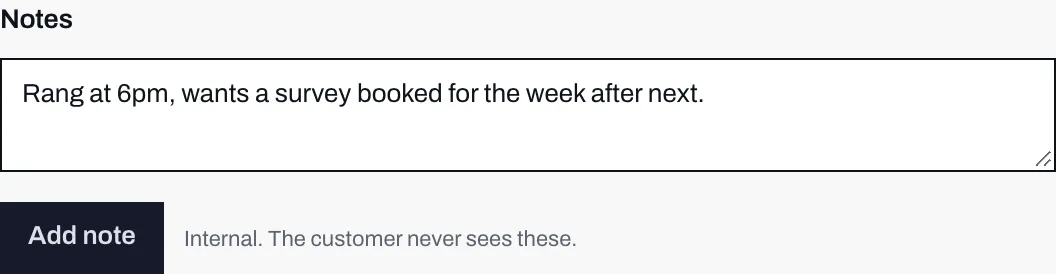
- The panel says it out loud, because the message box is only a little further down the page.
- The note you are about to add. Nothing here is saved yet.
- Add note saves it under your name. Pressed on an empty box, it does nothing.
Type into the box and press Add note. The note is saved against your name and the date, and appears in the list underneath, newest first, because the useful question on opening a lead is what happened last.
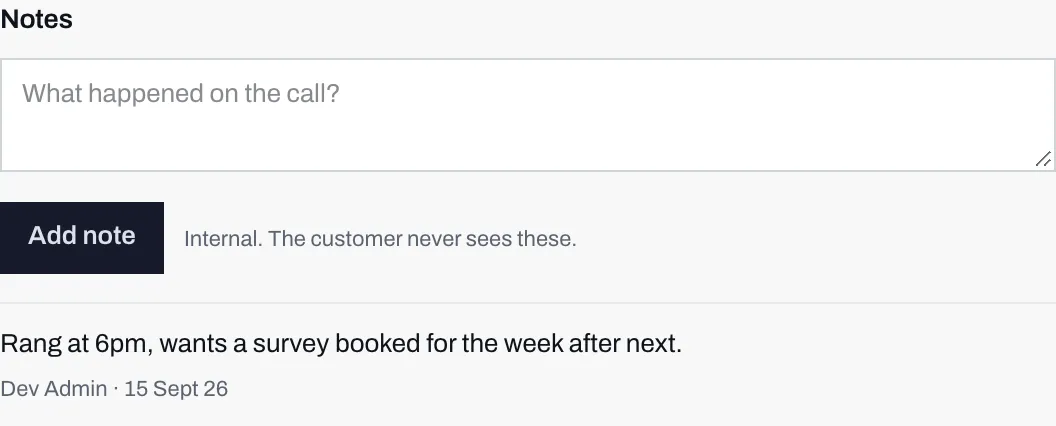
- The box clears back to its prompt, so the same note cannot be added twice by accident.
- The name of whoever wrote it and the date, under every note. The newest sits at the top.
Three things about notes that are not obvious:
- A note cannot be edited or deleted. There is no control for either. If you need to correct one, add another saying so. This is what makes the thread a record rather than a scratchpad, and it is why nobody has to wonder whether what they are reading is the version somebody tidied up.
- A note counts as touching the lead. The queue puts whoever has waited longest first, counting from the last time anyone on your team did something with the lead, so adding a note sends it back to Today and down its group. Opening a lead does not count; only doing something does.
- Everyone at your company can add one. Reps as well as admins.
Messages
Section titled “Messages”Two-way correspondence with the homeowner, in their own account with you.
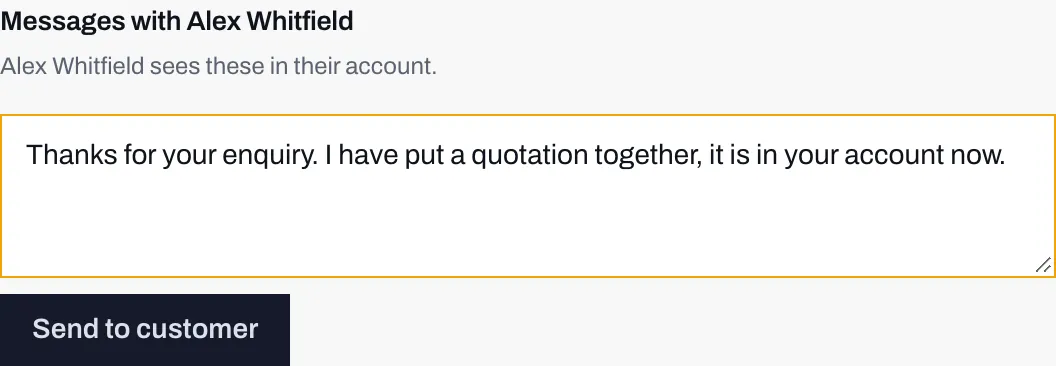
- The heading carries the customer's name, and the line below says whether they can actually receive this.
- The message, typed and not yet sent. This is the last moment at which it is still yours.
- Send to customer. Not Save, not Add. The button is worded to be read.
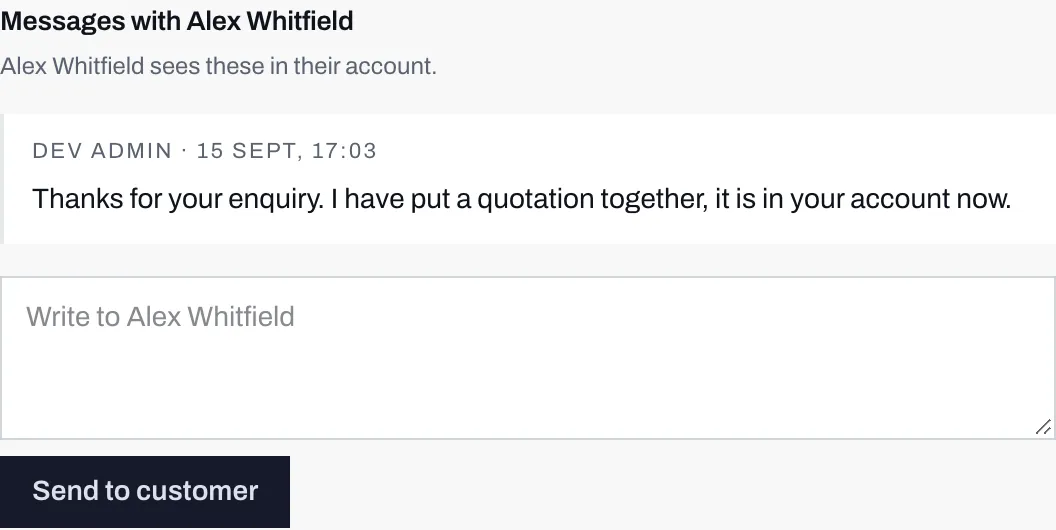
- Your message joins the thread immediately, timestamped and attributed to whoever sent it.
- The box clears back to its prompt, which names the person you are writing to. There is no draft state and no way to unsend, so read before you send.
Sending does two things at once: the message appears in the customer’s account, and an email goes to them saying there is a message waiting, branded as you. There is no unsend. Nothing typed here can be taken back.
When the customer has no account
Section titled “When the customer has no account”Messaging only works if the homeowner has an account with you. Where they do not, the panel says:
{name}has no account yet, so they cannot receive messages.
and the compose box is not shown at all, rather than accepting a message that would go nowhere.
A homeowner gets an account in one of two ways: by leaving the box on the last step of your calculator ticked, which is the default, or by asking for a sign-in link themselves. You cannot create one for them. If you need to reach somebody who has no account, use the phone number or the email address at the top of the lead, or send them a quote, which is an ordinary email and needs no account at all.
Unread, and who counts as having read it
Section titled “Unread, and who counts as having read it”A message from a customer is marked Unread in the thread, and in the lead
queue it takes over the line under the customer’s name: “1 unread message”, or
“{n} unread messages”, in amber, in place of the usual line about where the
lead stands.
Opening the lead marks the thread read for your whole team. There is no per-person read state, deliberately. Per-rep unread counts double the amount of state in the system and answer a question nobody at a five-person installer is asking: if one of you has dealt with it, the company has dealt with it. The trade is that a colleague opening a lead out of curiosity clears the line for everybody, so the unread line is a team to-do list rather than a personal inbox.
It is also why Leads never opens a lead by itself. Before you pick one, the overview names the lead that has waited longest and offers Open this lead, rather than opening it for you, because a lead nobody chose to open would lose its unread line before anybody had read a word.
One email per unread run
Section titled “One email per unread run”This is the rule that surprises people, and it is worth understanding before you rely on email to tell you anything.
An alert is only sent if the recipient has no other unread message in that thread. A customer who writes four messages in a row generates one email, not four. The counter resets the moment somebody on your side reads them, so the next message after that produces a fresh email.
The consequence is blunt: a recipient who never reads gets exactly one email, ever. There is no reminder, no daily digest and no second nudge, because a re-nudge needs a scheduler and this deployment does not have one. The same rule applies in the other direction, so a customer who ignores your first message will not be emailed again about your second.
Which one do I want?
Section titled “Which one do I want?”| You want to | Use |
|---|---|
| Record what happened on a call | Notes |
| Flag something to a colleague | Notes |
| Answer a question the customer asked | Messages |
| Tell the customer a survey date | Messages |
| Write down why you discounted | Notes |
| Send a document | Documents |
| Send a price | A quote |
If you are unsure, use a note. A note that should have been a message is a delay. A message that should have been a note is in somebody’s inbox.